How What now works
What now turns everything in your head into small tasks, then shows you one at a time with a plain reason. It's free, there's no signup, and your list is saved in your browser, nowhere else.
Use it
- Open helplot.com and type everything on your mind into the box. Messy is fine. Press Sort it out.
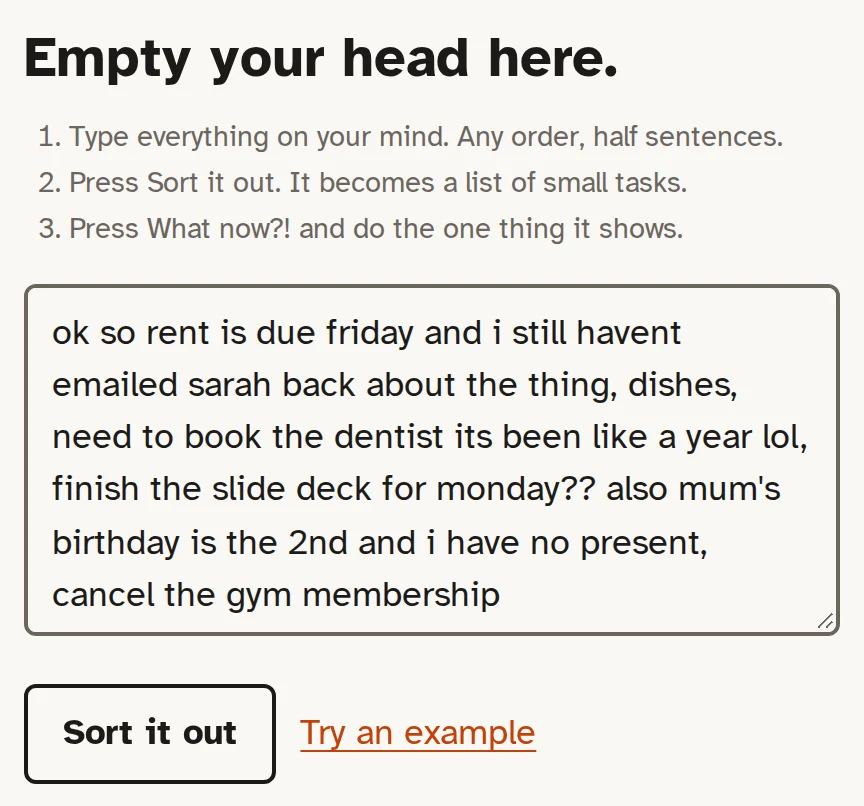
- You'll see how many tasks it found and a big What now?! button. Set your energy if you like (Low, Okay, Good), then press the button.
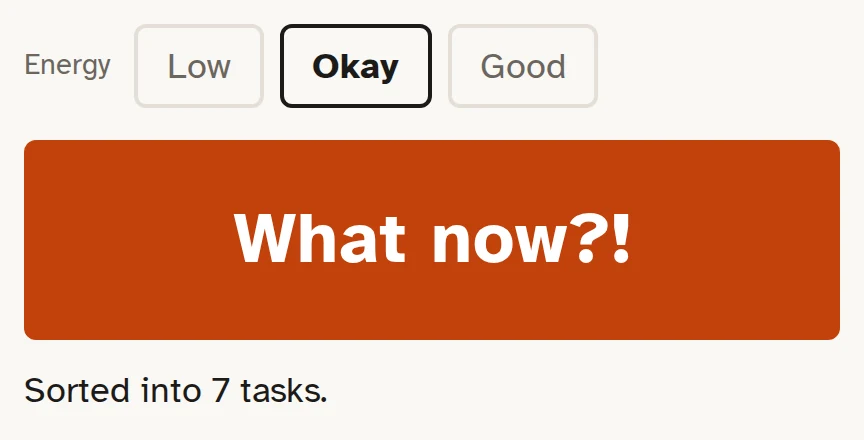
- One task appears with the reason it was picked. Do it and press Done. Or press Not now (it goes to the back, no fuss), Break it down (it splits into small steps) or Too hard right now (one question, then a way in).
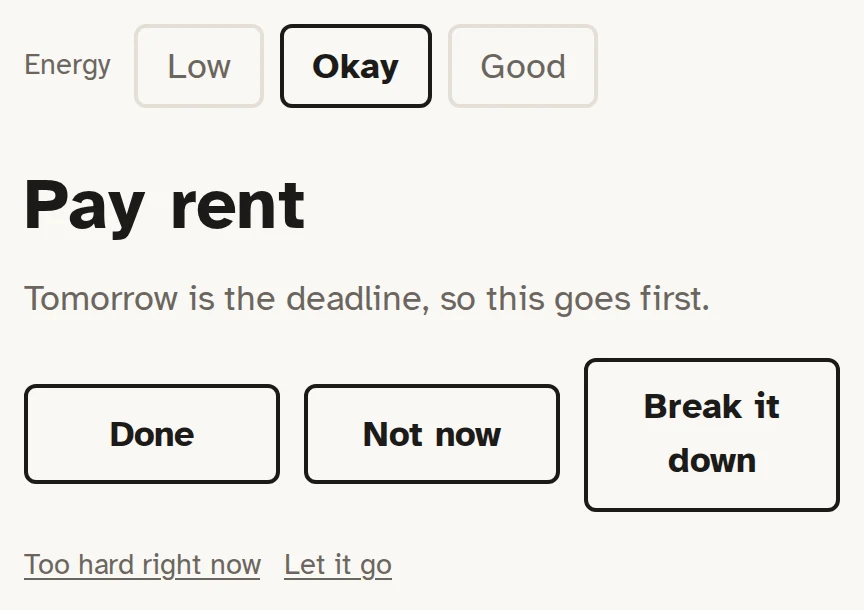
Then press What now?! again. That's the whole thing. List at the top shows everything, if you want to change or remove a task.
Add AI (optional)
It works fine without AI. AI only helps tidy what you type and break tasks down. Picking your next task is always done by plain rules, so it's the same with or without.
When AI is on, the text you sort or break down goes from your browser to the provider you pick, and nowhere else. With Ollama it stays on your computer. Your saved list is never sent anywhere. Pick one: Groq is the quickest to set up, Ollama keeps everything on your computer.
Groq (free, no card)
- Go to console.groq.com/keys and sign in. A Google account works. No card needed.
- Press Create API Key (an API key is a password for the AI service), give it any name and copy it.
- In What now, open Settings, pick Groq (free, no card) and paste the key into Key.
- Press Test. You should see Connected.
The free tier is plenty for one person. If you ever pay, a sort costs about 0.02 cents.
Google Gemini (free tier)
- Go to aistudio.google.com/apikey and sign in with Google.
- Press Create API key and copy it.
- In What now, open Settings, pick Google Gemini (free tier) and paste the key into Key.
- Press Test. You should see Connected.
On the free tier, Google may use what you send to improve its products. Use Groq or Ollama if that bothers you.
Ollama (on this computer, nothing leaves it)
- Install Ollama from ollama.com/download and open it.
- Open a terminal (the black text window: Terminal on a Mac, PowerShell on Windows) and get a small model, about 2 GB:
You should seeollama pull qwen2.5:3bsuccessat the end. - Let helplot.com talk to Ollama. Ollama blocks web pages until you say so (this is CORS, a browser safety rule).
On a Mac, run this, then quit Ollama from the menu bar and open it again:
launchctl setenv OLLAMA_ORIGINS "https://helplot.com"On Windows, run this, then quit Ollama from the tray by the clock and open it again:
setx OLLAMA_ORIGINS "https://helplot.com"On Linux, stop Ollama and start it like this:
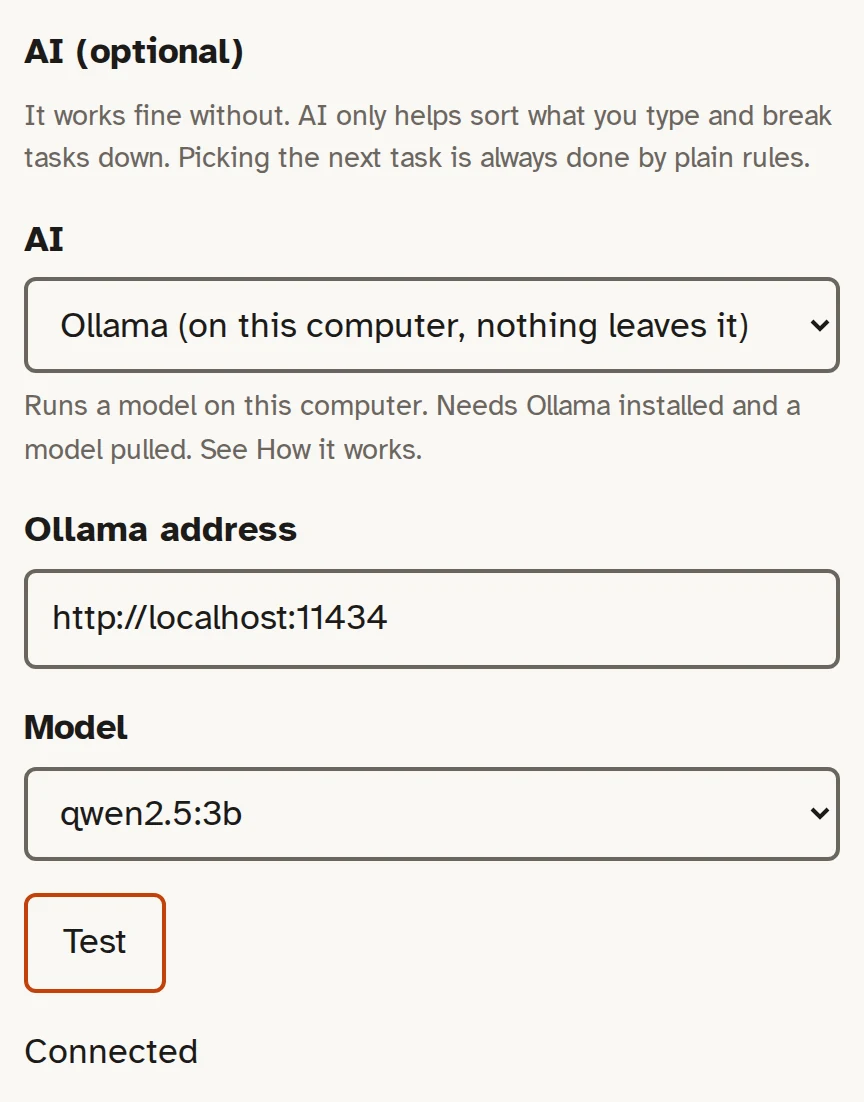
OLLAMA_ORIGINS=https://helplot.com ollama serve - In What now, open Settings and pick Ollama. If your browser asks to let the page reach devices on your network, allow it (that's how it reaches Ollama on your computer).
- Press Test. You should see Connected. The first test can take half a minute while the model loads.
How it decides
Every time you press What now?!, it goes down this list and stops at the first thing that fits:
- Anything overdue or due today.
- The next step of something you just broke down.
- If your energy is Low: the smallest, easiest task, like the dishes or watering the plant.
- Anything due in the next two days.
- If your energy is Good: a bigger task, nearest deadline first.
- Anything due this week.
- Otherwise, whatever has waited longest. If that's been two weeks or more, it says so. Let it go is a fine answer.
Not now sends a task to the back. It won't come up again until everything else has had a turn. It never counts how often you've put something back.
If it doesn't work
| What you see | What to do |
|---|---|
Can't reach Ollama. Check it's running and allows this page. | Ollama blocks web pages unless told not to (this is CORS, a browser safety rule). Quit Ollama, start it again with OLLAMA_ORIGINS set (steps under Add AI), then press Test. If Chrome asked about devices on your network and you said no, click the icon left of the address, allow Local network access, and press Test. |
That key didn't work. Make a new one at console.groq.com/keys and paste it in. | The key is wrong, deleted or has a space on the end. Make a new key, paste it into Settings, press Test. |
Ollama doesn't have qwen2.5:3b. In a terminal, run: ollama pull qwen2.5:3b | Run the pull command it shows (a terminal is the black text window), wait for it to finish, press Test. |
Ollama has no models yet. In a terminal, run: ollama pull qwen2.5:3b | Run that command, wait for it to finish (about 2 GB), then press Test. |
It answered, but with nothing usable. Try another model, or No AI. | Small models sometimes reply with junk. Pick a bigger model, or set No AI. Sorting carries on without it. |
No answer in time, so it sorted without AI. | The model is slow or still loading. Press Test once to warm it up. A first run of Ollama can take half a minute. |
Groq says too many requests. Wait a minute. | Free tiers have a limit per minute. Wait, then carry on. Sorting works without AI meanwhile. |
This browser won't let the page save, so your list goes when you close the tab. | Private or incognito windows forget everything. Open helplot.com in a normal window. If you saved the page to your computer, always open that same file. |
Empty your head here.(shown on reopen instead of your list) | The list lives in this browser only. Clearing browsing data, another browser, or a private window starts empty. Use Settings, Export now and then to keep a copy. |
Keyboard
| Key | Does |
|---|---|
| Enter or Space | What now?! |
| D | Done |
| N | Not now |
| B | Break it down |
| S | Too hard right now |
| 1, 2, 3 | Energy: low, okay, good |
| A | Add more |
| L | The whole list |
| Ctrl+Enter | Sort it out |
| Esc | Back |
| ? | Show these keys |
No app? Paste this into Claude or ChatGPT
This runs the same loop in a chat. Copy it, paste it as your first message, then type what's in your head.
You're helping someone with ADHD who is stuck and can't pick what to do. Keep every reply short. Be flat and kind: no cheerleading, no tips, no lectures.

1. Ask them to type everything on their mind, any order, messy is fine. Then wait.
2. Turn it into small tasks a person could start right now, one per thing. Never merge different things, never add anything, drop feelings and filler, note any deadlines. Show the list once, numbered.
3. When they say "what now" (or anything like it), give ONE task and one plain line saying why. Order: overdue or due soon first; if their energy is low, the smallest easy one; otherwise whatever has waited longest. Under it offer: Done / Not now / Break it down / Too hard right now.
4. Done: say how many are done today, nothing more. Not now: say "Put back for later." and move it to the back. Break it down: 3 to 5 steps where step 1 takes under a minute; show step 1 only. Too hard right now: ask one question, "What's in the way: don't know how to start, don't want to, or need something first?" Then break it down, shrink it to "two minutes of it", or add the missing thing as a task ahead of it.
5. Never say how often something was skipped. Never show more than one task unless they ask for the list.
Using Claude Code? The same prompt is a skill in the code, at skills/what-now/SKILL.md.
Your data
- It lives in this browser only (browser storage, under the name helplot.whatnow.v1). No account, no server, no tracking.
- To keep a copy: Settings, Export. It saves a .json file. Import replaces the list with the one in a file.
- To delete it: Settings, Delete everything.
Get the code
The code is on GitHub under the MIT licence: use it, change it, share it. To use it with no internet, save this page's tool (helplot.com) to your computer and open the file.